5.3 Simulation Environment Setup
AntBot can be operated and tested in Ignition Gazebo (Fortress) without physical hardware.
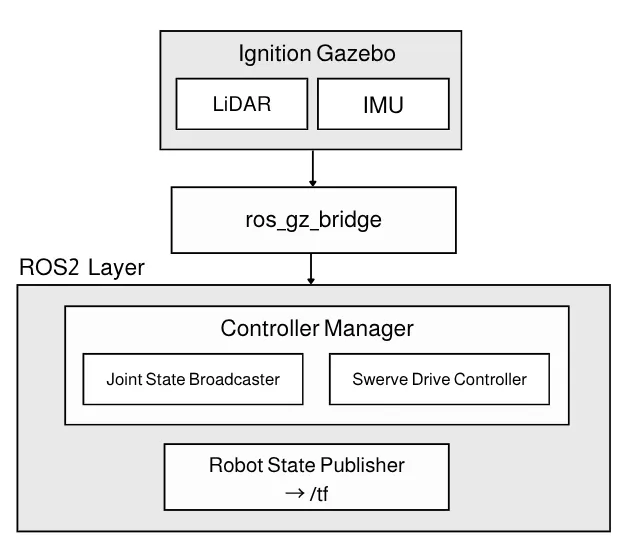
Prerequisites
Section titled “Prerequisites”sudo apt install ros-humble-ros-gz ros-humble-ign-ros2-control \ ros-humble-xacro ros-humble-robot-state-publishercd ~/ros2_wscolcon build --symlink-install --packages-up-to antbot_gazebosource install/setup.bash-
Start Gazebo simulation
Terminal window # Terminal 1ros2 launch antbot_gazebo gazebo.launch.py -
Control the robot with keyboard
Terminal window # Terminal 2ros2 run antbot_teleop teleop_keyboard
Change World
Section titled “Change World”The default world is empty. Use the world argument to select a different one:
# Run by name (resolved via worlds.yaml)ros2 launch antbot_gazebo gazebo.launch.py world:=depot
# Run by full SDF pathros2 launch antbot_gazebo gazebo.launch.py world:=/path/to/world.sdf© 2026 ROBOTIS AI. All rights reserved.